Create Custom Planter Saucers with Blender

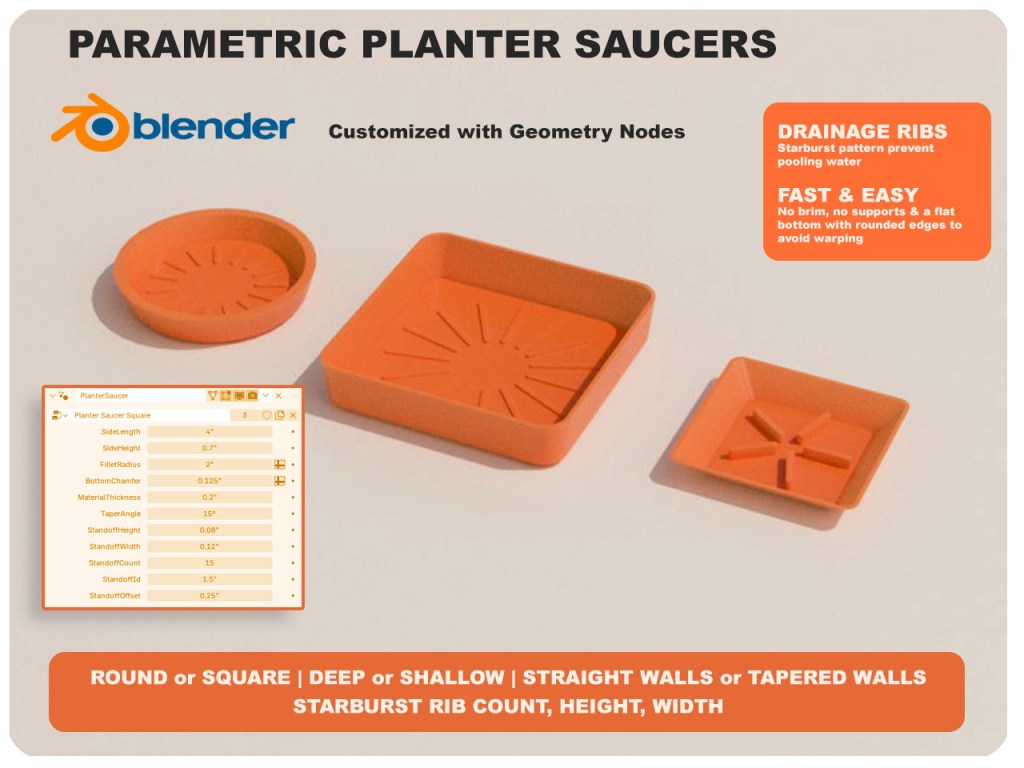
Every plant pot seems to come with a saucer that’s almost the right size — too small, too big, wrong color, or just plain ugly. I got tired of that, so I built one I can resize on demand.

It’s a parametric planter saucer, designed in Blender with Geometry Nodes. Eleven inputs control the shape: side length, height, corner roundness (crank it up and the square becomes a circle), wall taper, material thickness, and the little ribs underneath that lift it off the surface so water can drain out of the pot. Same base file, infinite variations.

Continue reading “Create Custom Planter Saucers with Blender”
Blender Quick Tip: Why my results differ from the tutorial

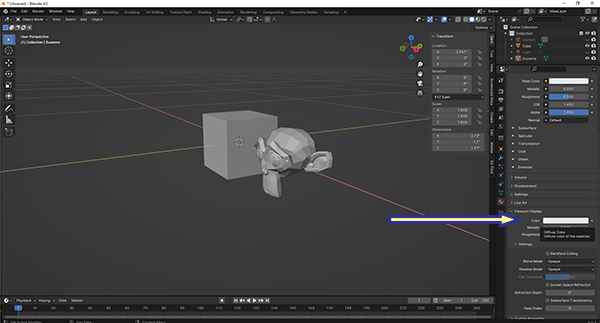
When following a Blender tutorial, it can be frustrating when the results don’t match what the instructor is showing, despite typing in the exact values. The key to resolving this issue may be checking your units. Most tutorials are created using meters as the unit of measure, but your Blender custom start up may be set to inches or another unit. This discrepancy has tripped me up when working with procedural shaders and geometry nodes.

So the next time you are watching a tutorial, pay attention to the units. This simple step will save you time and frustration, helping you to replicate the tutorial accurately and continue learning effectively.

Thingiverse: Diamond Cutter Box

I purchased a set of diamond wheels from Harbor Freight. Spent less than $10. In order to protect my investment, I 3D printed a box to hold the arbor and wheels.

The first iteration held the arbor but I didn’t make a slot at the end of the arbor. This oversight means I would have had to disassemble the wheel from the arbor to put it away. I know me, and I know that means eventually this would keep me from putting the pieces back in the box. I reprinted the box for the final design and released it to Thingiverse this morning.

Link to Thingiverse: https://www.thingiverse.com/thing:6476550

The design was created in Blender and processed for printing with the Prusa Slicer.