
Slicers read STL files in millimeters. Blender’s native unit is the meter. Even if you switch Blender to inches or millimeters, the export still writes meters, so your part shows up in the slicer a thousand times too small.
The fix is one number. When you export for a slicer, set Scale to 1000.
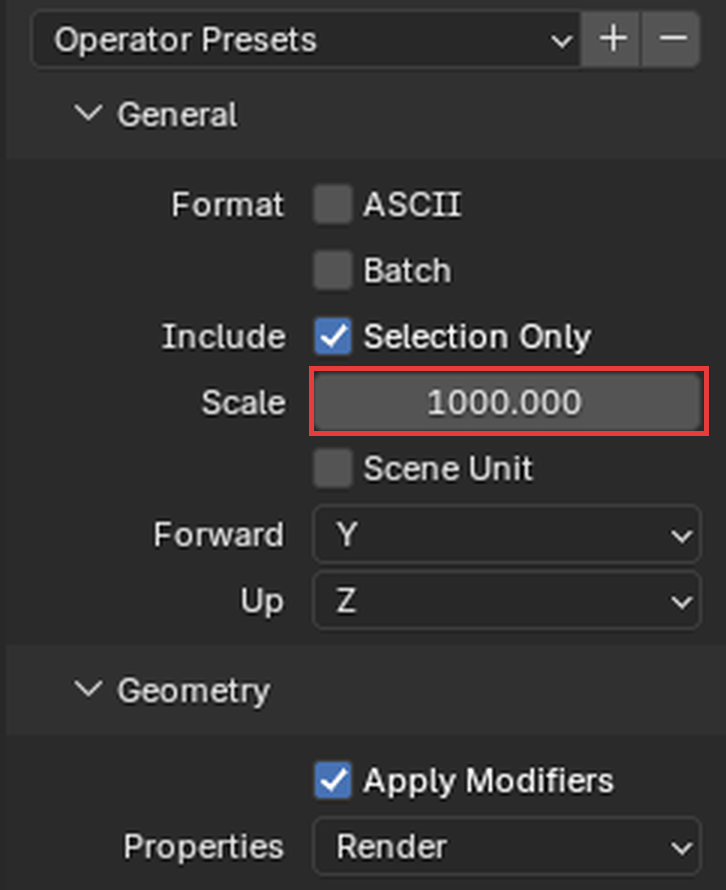
Don’t bother rotating the part in Blender. Every slicer has a “place on face” tool that drops a flat surface onto the bed in one click.
Going the other way, when you import an STL that was made for printing, set Scale to 0.001. Otherwise a 40 mm bracket comes in as 40 meters.
Export at 1000. Import at 0.001. That’s it.
 Simmer3D