
Photogrammetry scans already come with their own lighting. When using these scans in Blender, you can get a natural look and speeds up Blender with a few clicks.
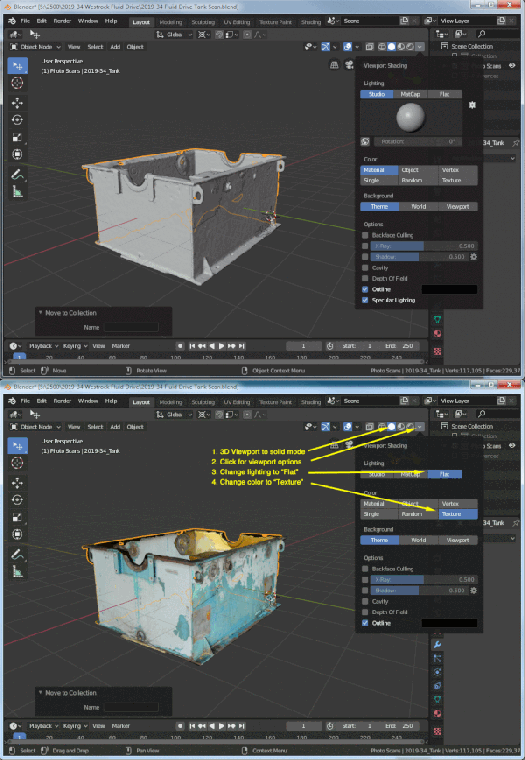
- Put the 3D viewport into the solid mode. You can click the solid circle in the upper right corner or hit the “Z” key and then slide your mouse to the right.
- Click the shading option arrow next to the shading modes in the upper right corner
- The lighting default is “Studio”. Change it to “Flat”
- The color default is “Material”. Change it to “Texture”
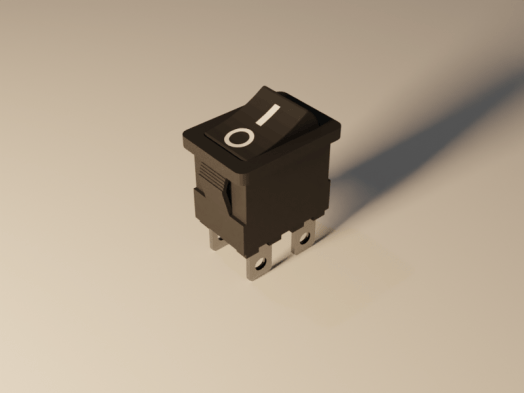 The new noise removal node is not available in 2.80. Go to the Blender download page and scroll to the bottom. Click the “Get Blender Experimental” button and download. You will get an compressed file. I created a new folder (c:\program files\blender\blender2.81) and extracted all the files there. Then just double click the blender.exe file to run.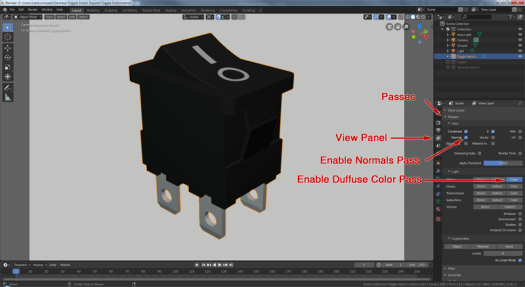
 Simmer3D