Texture Painting

I was having a hell of a time this morning with Blender. I couldn’t get the Texture Painting to work. I searched online for a solution, but every answer seemed geared to someone just learning.

After struggling and not finding the answer online, I finally figure it out. The object I was trying to paint was in the “Local” mode. The local mode quickly isolates one more objects. It is toggled on and off with the “/” Forward Slash key on the keypad.

I toggled local mode off and texture painting magically worked again.

Soccer Goal

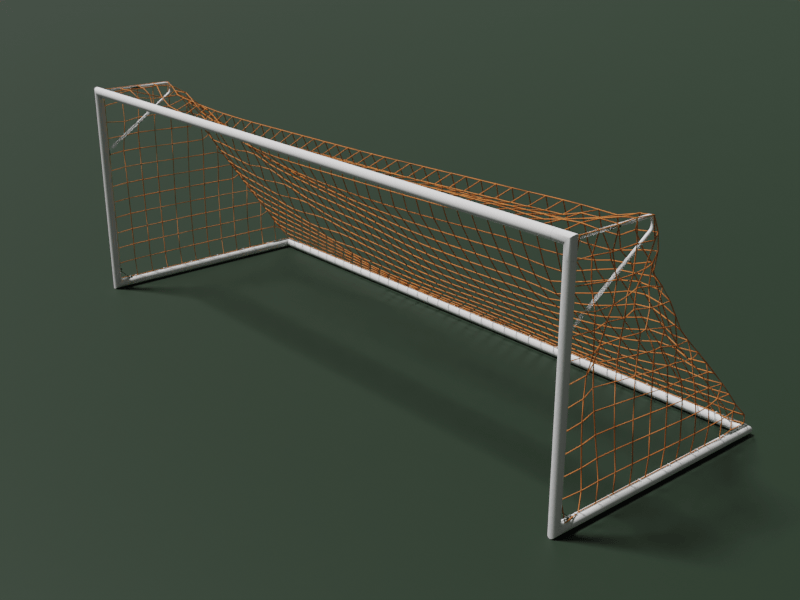
I created a soccer goal in Blender a while back. Most of the goals I see available on CGTrader have nets that look like they were strong tight and frozen in place. I tried to correct creating a mesh and using the fabric simulator to create realistic slack. I then removed the faces and converted the edges to curves. I also added details like the corner brackets and the nets clips. Continue reading “Soccer Goal”

Blender Quick Tip – Photogrammetry Lighting

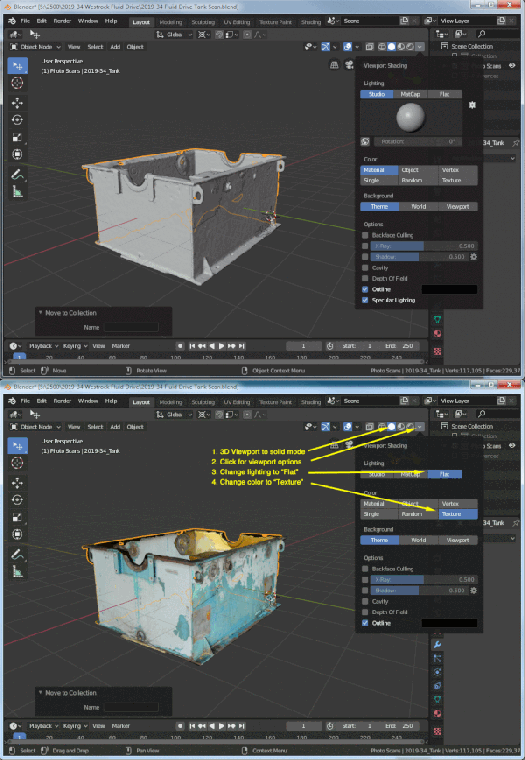
Photogrammetry scans already come with their own lighting. When using these scans in Blender, you can get a natural look and speeds up Blender with a few clicks.

shading-blender-photogrammetry

  1. Put the 3D viewport into the solid mode. You can click the solid circle in the upper right corner or hit the “Z” key and then slide your mouse to the right.
  2. Click the shading option arrow next to the shading modes in the upper right corner
  3. The lighting default is “Studio”. Change it to “Flat”
  4. The color default is “Material”. Change it to “Texture”

Power Switch Model

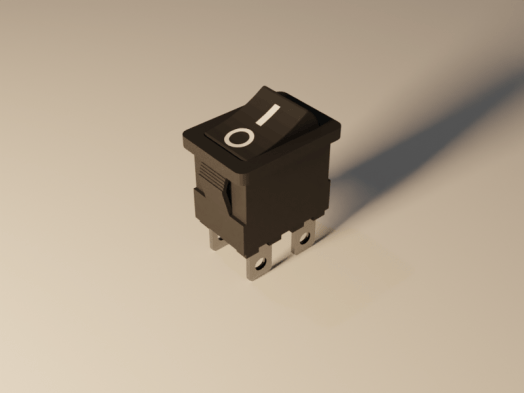
A new model has been posted on CGTrader. It’s a rocker switch with power on and off markings. It was modeled in Blender 2.80, but it was rendered in the Blender 2.81. Then new version of blender has a noise removal node for the compositor. It works great.

Render 2.pngThe new noise removal node is not available in 2.80. Go to the Blender download page and scroll to the bottom.  Click the “Get Blender Experimental” button and download. You will get an compressed file. I created a new folder (c:\program files\blender\blender2.81) and extracted all the files there. Then just double click the blender.exe file to run.

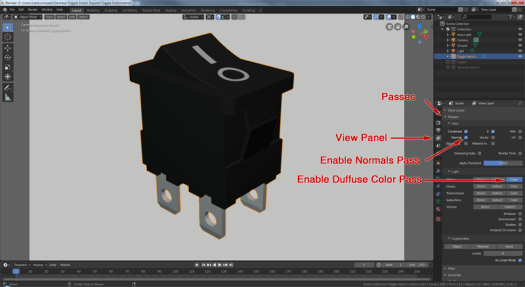
To use the node, enable a few render passes that the node uses. Go to the View Panel and expand the Passes section. Enable the Normal Pass and the Diffuse Color Pass.

Untitled-2.png

Continue reading “Power Switch Model”

Blender Quick Tip – Auto Merge

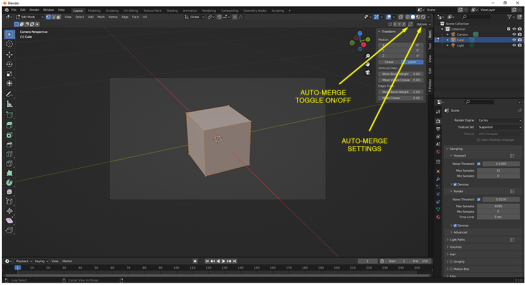
Update: 5/27/2022: They keep moving auto-merge. In Blender version 3.1.0 while in edit mode, the auto-merge has a convenient on-off toggle and link to the auto-merge settings in the upper right corner. These buttons are visible when the “Tool Settings” are enabled. To enable the “Tool Settings”, click the “Tool Settings” from the View drop-down menu until there is a check mark next to it.
Auto-merge-310

When you move a vertex over another, many times you want the two to become one. There is a tedious way: Move the vertex and then merge. Or the easy way: Enable the  Auto-Merge option and then just move one vertex over another.

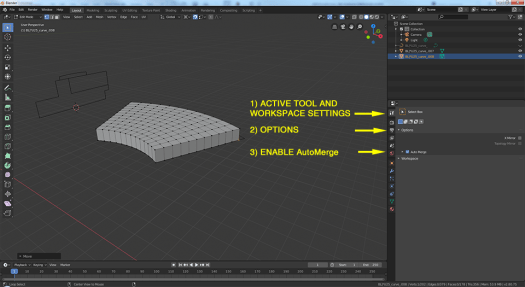
In Blender 2.80, the Auto-Merge option has moved. It is now in the Active Tool and Workspace panel under “Options”

MergeVertices

3″ Check Valve

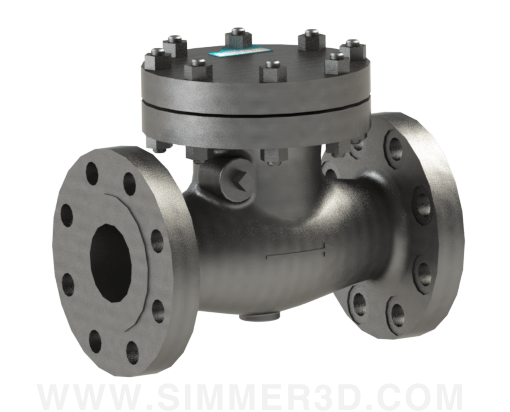
I posted a 3″ Swing Check Valve on GrabCad today. Within a couple of hours, it got 6 likes and 3 downloads. And if you didn’t know…all downloads on GrabCad are free.

This valve is manufactured by KITZ. It has class 300 raised face flanges and the body is made from cast stainless steel. The face to face dimension is 12.5″.

The KITZ number is 300UOAM3 316SS GRAFOIL C.E.
Link: https://www.kitzus-kca.com/industrial-check-valves.php

The model does not have any internals. You can use it for system design.
Link: https://grabcad.com/library/3-flanged-check-vavle-1

Continue reading “3″ Check Valve”

Bayonet Adapters

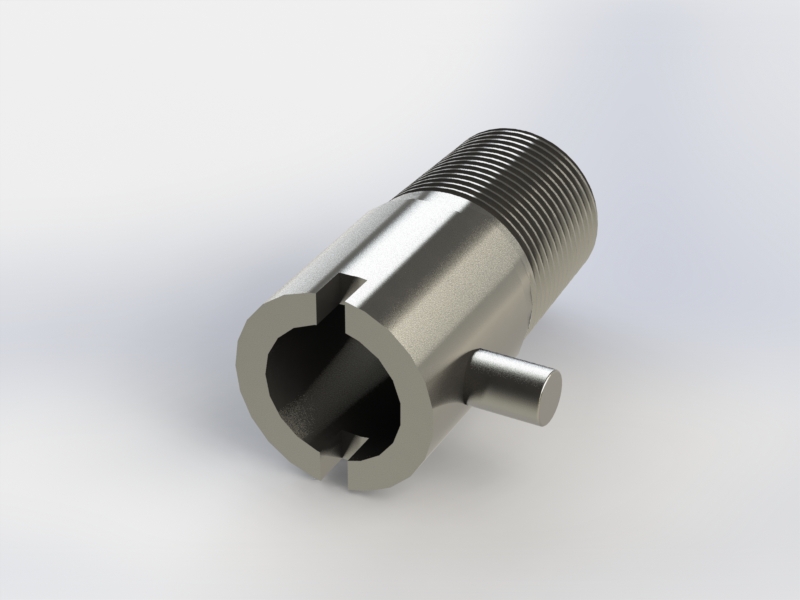
I am in the process of locating parts for building thermocouple (TC) probes.  The probes we used are held tight against the part with a spring loaded bayonet fitting. The fitting is comprised of two parts: the adapter and the cap.

The adapters are available at Amazon ($9.13), McMaster ($2.98) and AutomationDirect.com ($1.50).

A 2D Autocad drawing is available for download at AutomationDirect. I imported this drawing into SolidWorks 2017 and made a 3D model out of it. I also made different configuration to cover all the lengths that are available for purchase at AutomationDirect. Continue reading “Bayonet Adapters”