
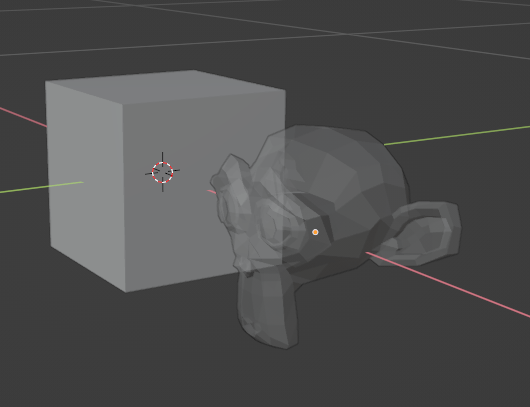
Here is a Blender quick tip for changing the display object transparency:
Select the object
Go to the material panel. If it doesn’t already have a material definition, create a new material.
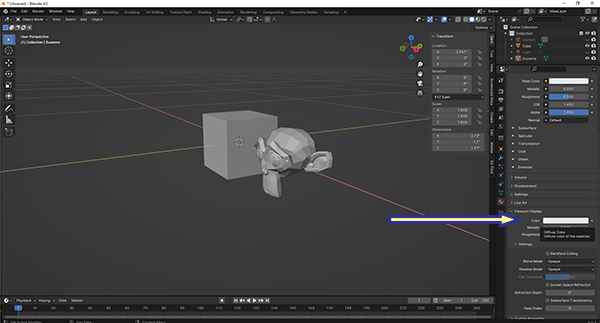
Expand the Viewport Display panel
Click on the color box
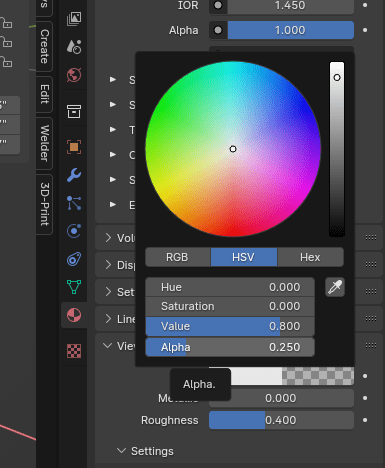
Change the Alpha value. 1 is the default (no transparency) and 0 is fully transparent.
 Simmer3D