I spent last weekend out of town working the night shift. While I was waiting for my shift to start, I modeled the table lamp in my hotel room. The model is available on CGTrader.com:

Stories from my 3D Journey with Blender, Solidworks and 3d printer
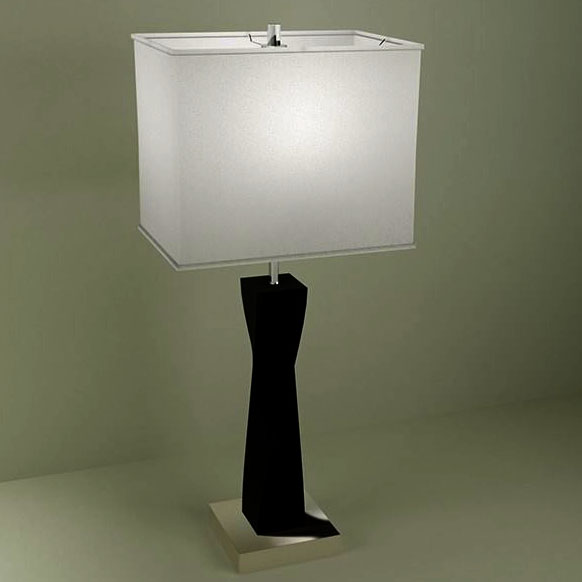
I spent last weekend out of town working the night shift. While I was waiting for my shift to start, I modeled the table lamp in my hotel room. The model is available on CGTrader.com:
I was having a hell of a time this morning with Blender. I couldn’t get the Texture Painting to work. I searched online for a solution, but every answer seemed geared to someone just learning.
After struggling and not finding the answer online, I finally figure it out. The object I was trying to paint was in the “Local” mode. The local mode quickly isolates one more objects. It is toggled on and off with the “/” Forward Slash key on the keypad.
I toggled local mode off and texture painting magically worked again.
Here is a Blender 2.81 tip I had to re-learn today.
I started a new mesh and created a string of vertices. After I bit of work, I realized that a curve would be much better. It is pretty straight forward to convert a mesh to a curve, but the curve is little more than then the mesh by another name. What I was looking for was the vector handles to smooth out the corners.
The trick is to convert the new curve spline type to a Bezier curve. The vector handles then appear. Continue reading “Blender Tip: Mesh to curve”
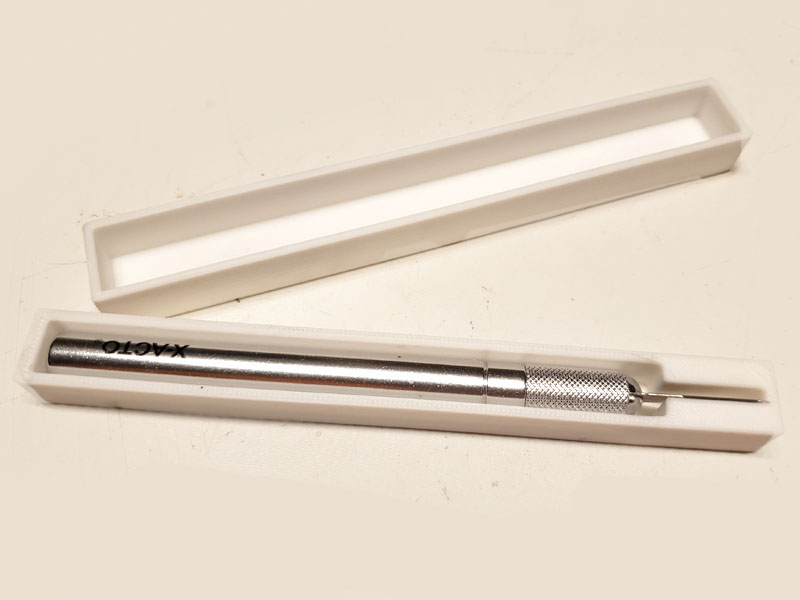
When I tell someone I have a 3D print, nearly without exception, the first question I get is what do you print. It’s a valid question. Will you save money with a 3D printer? No, most likely not. Here is a list of some of the 3D prints I have around the house. Continue reading “13 Practical 3D Prints”
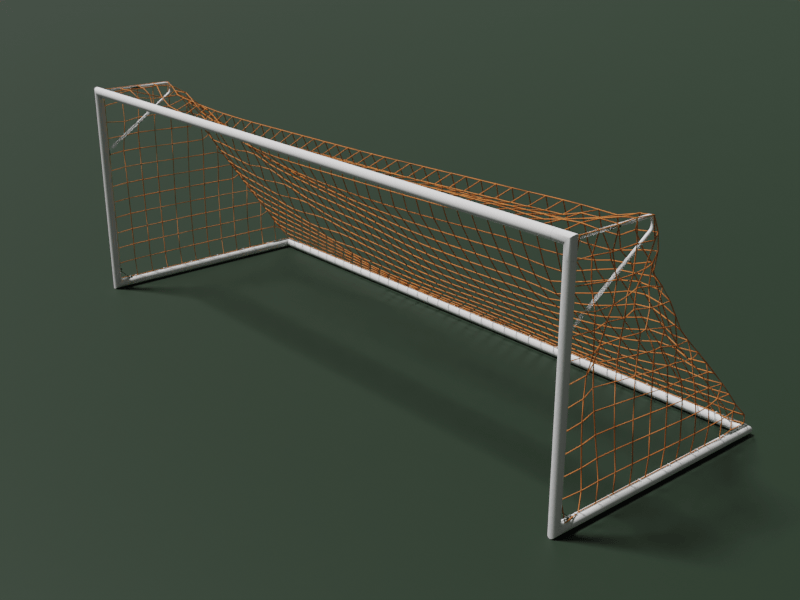
I created a soccer goal in Blender a while back. Most of the goals I see available on CGTrader have nets that look like they were strong tight and frozen in place. I tried to correct creating a mesh and using the fabric simulator to create realistic slack. I then removed the faces and converted the edges to curves. I also added details like the corner brackets and the nets clips. Continue reading “Soccer Goal”
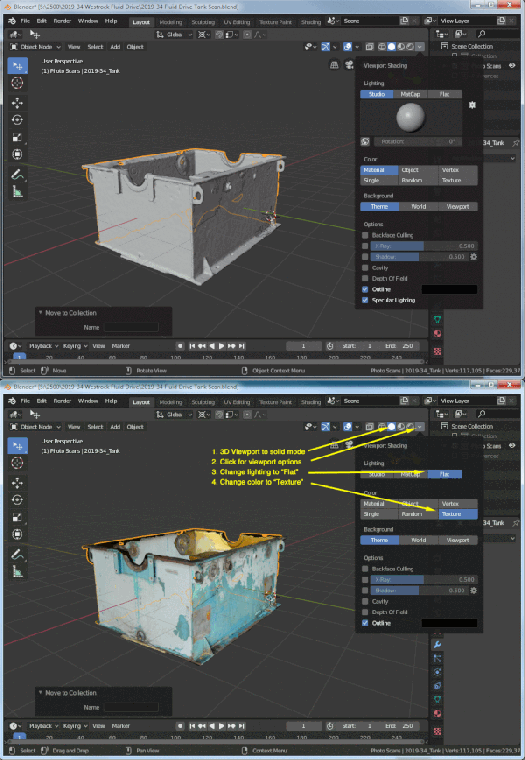
Photogrammetry scans already come with their own lighting. When using these scans in Blender, you can get a natural look and speeds up Blender with a few clicks.
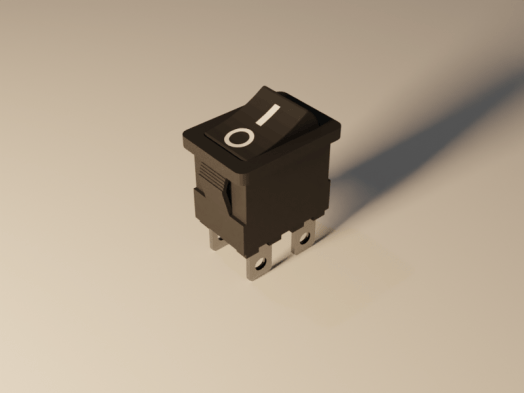
A new model has been posted on CGTrader. It’s a rocker switch with power on and off markings. It was modeled in Blender 2.80, but it was rendered in the Blender 2.81. Then new version of blender has a noise removal node for the compositor. It works great.
 The new noise removal node is not available in 2.80. Go to the Blender download page and scroll to the bottom. Click the “Get Blender Experimental” button and download. You will get an compressed file. I created a new folder (c:\program files\blender\blender2.81) and extracted all the files there. Then just double click the blender.exe file to run.
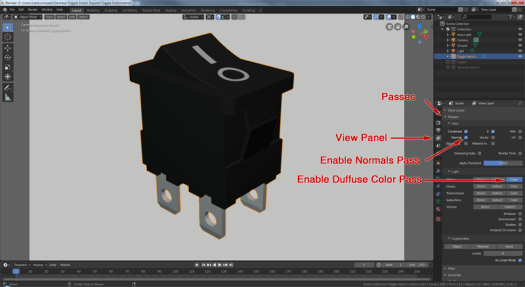
To use the node, enable a few render passes that the node uses. Go to the View Panel and expand the Passes section. Enable the Normal Pass and the Diffuse Color Pass.
Update: 5/27/2022: They keep moving auto-merge. In Blender version 3.1.0 while in edit mode, the auto-merge has a convenient on-off toggle and link to the auto-merge settings in the upper right corner. These buttons are visible when the “Tool Settings” are enabled. To enable the “Tool Settings”, click the “Tool Settings” from the View drop-down menu until there is a check mark next to it.
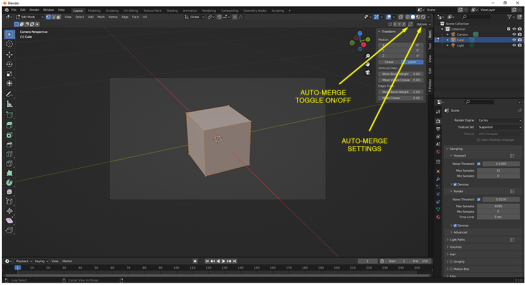
When you move a vertex over another, many times you want the two to become one. There is a tedious way: Move the vertex and then merge. Or the easy way: Enable the Auto-Merge option and then just move one vertex over another.
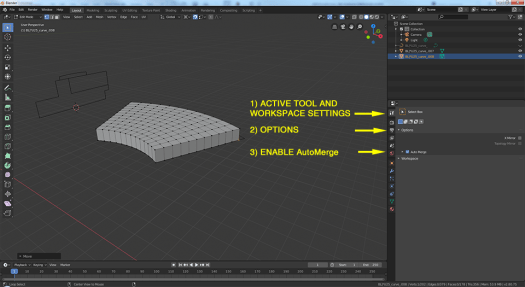
In Blender 2.80, the Auto-Merge option has moved. It is now in the Active Tool and Workspace panel under “Options”
Sometimes it hard to tell if a product shot is a photograph or a CG render. Part of the problem is the quality of modern rendering. But I think there is an overlooked aspect. So many photos are “Photoshopped”. People have become accustom to seeing perfect pictures….no scratches and no dust.
Photographers might want to leave some of the imperfections in their shots.
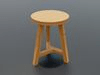
I created a CGTrader account years ago. My first submissions were all free. I wanted a way to give back to a community that had help me learn Blender. And then one day I saw a post on the user forum. Someone was complaining because the models were under priced. They were seeing a drop off in sales and believed it was because more content was being offered for free or for a very low price. Continue reading “CG Models”
 Simmer3D