Skip to content

Simmer3D

  • Home
  • Blog
  • Topics
    • 3D Printing
    • Modeling for 3D Printing
    • Photogrammetry
    • Photoreal Rendering
    • Modeling for Photoreal Images
    • What is Blender?
    • What is SolidWorks?
  • About
  • Contact

Blender Tips

Posted on October 5, 2026

Import STEP Files into Blender with the STEP Importer Extension
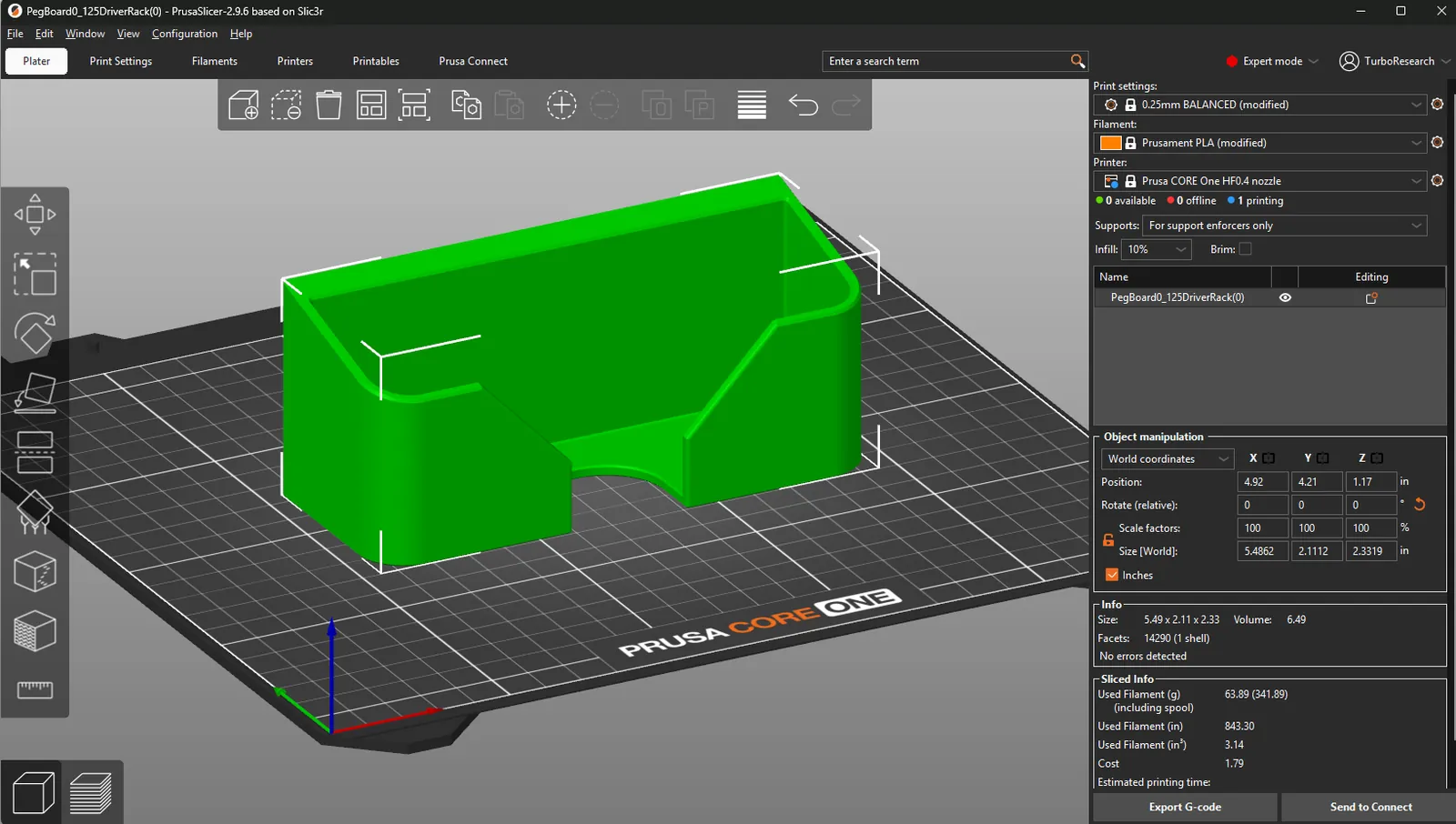
A pegboard driver rack from SolidWorks on the Prusa CORE One bed in PrusaSlicer 2.9.6, with Object manipulation set to inches and the size reading 5.49 by 2.11 by 2.33 in

Install the free STEP Importer extension in Blender 5.1 or newer and open SolidWorks STEP files at their true size. The same file opens in PrusaSlicer, with no meters to millimeters conversion on either end.
Read more →

Filed under: Blender Tips, SolidWorks, 3D Printing

Posted on September 23, 2026

Export OBJ Files with Textures from Blender 4.x

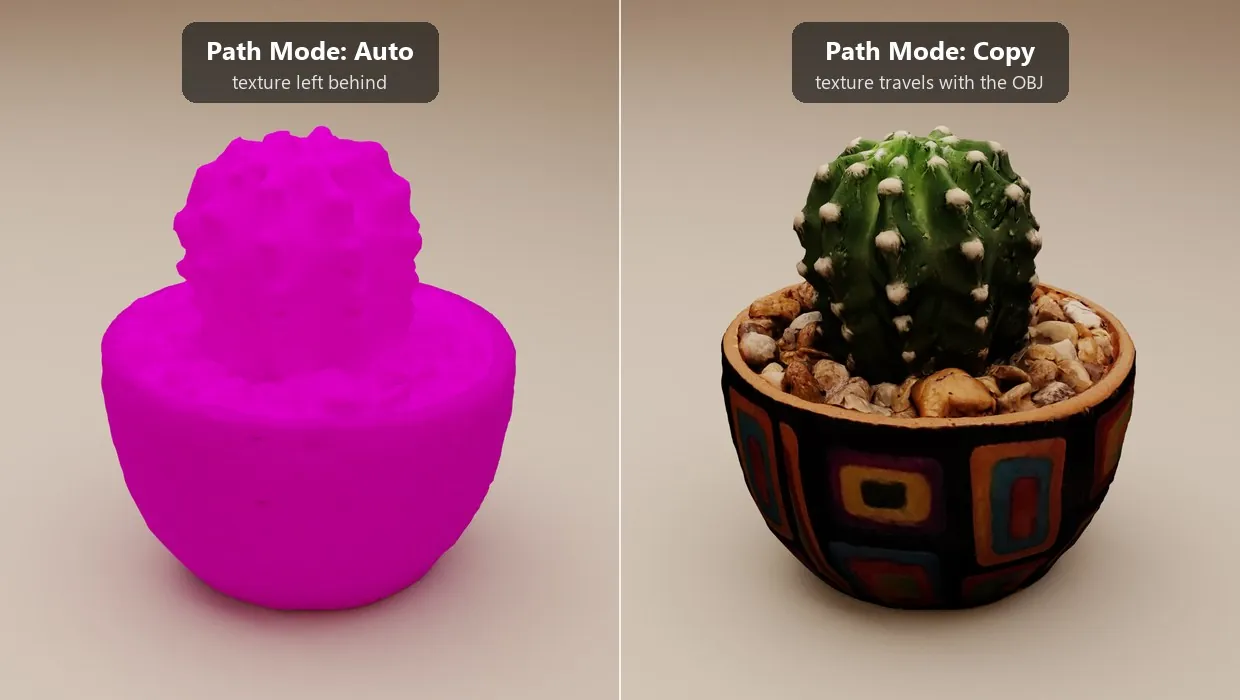
The same potted cactus OBJ imported into Blender twice: solid magenta with its texture missing after a Path Mode Auto export, fully textured after a Path Mode Copy export

Blender OBJ export missing textures? Set Path Mode to Copy, ship the .obj, .mtl and image files together, and avoid the three setups that silently drop a texture. Tested in Blender 4.5.

Read more →

Filed under: Blender Tips, 3D Models

Posted on September 22, 2026

Fix 3D Models in PrusaSlicer, Not Blender

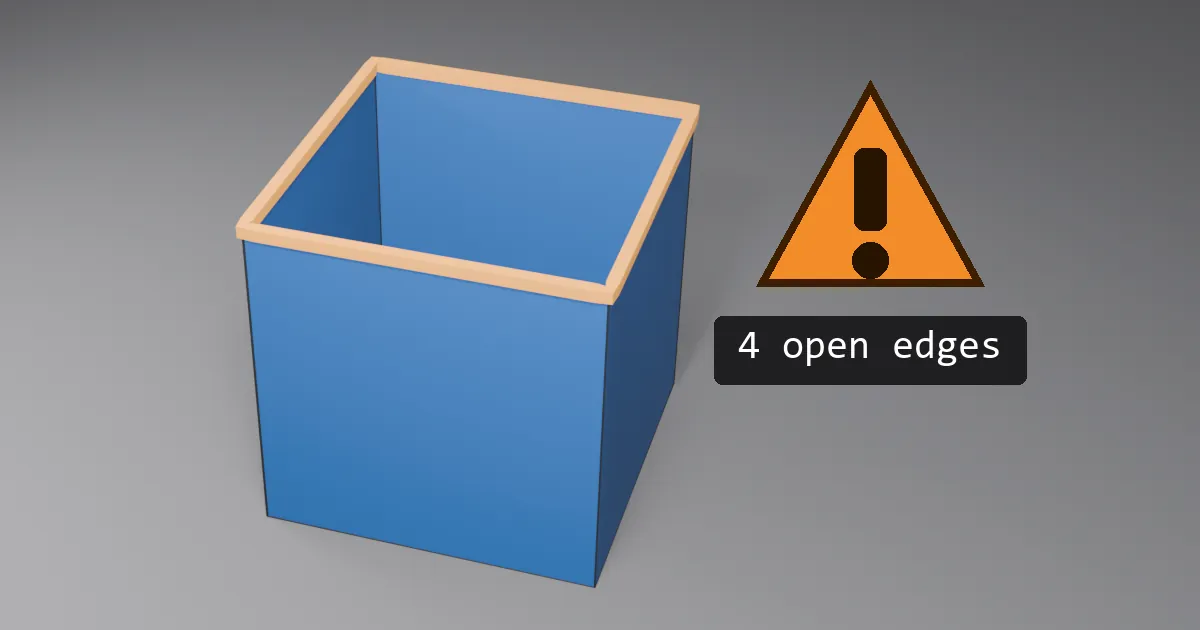
Open cube with its top face missing, the open edges highlighted in red, next to a warning triangle reading 4 open edges

Skip Blender's 3D-Print Toolbox. Export the STL, let PrusaSlicer repair non-manifold edges and flipped normals, and know when to fix it in Blender instead.

Read more →

Filed under: 3D Printing, Blender Tips

Posted on September 21, 2026

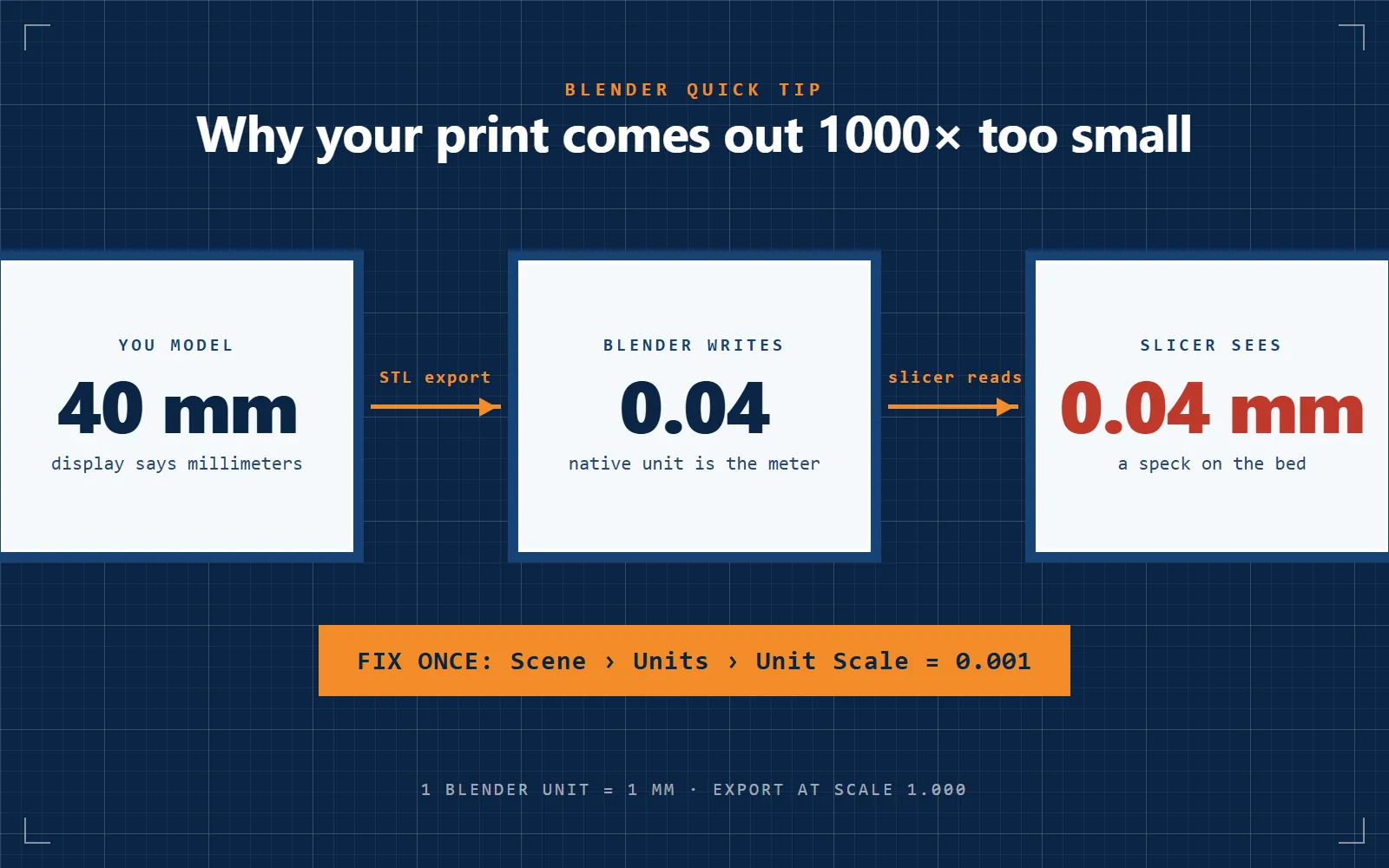
Blender Quick Tip: Set Up Units for 3D Printing

Diagram: you model 40 mm, Blender writes 0.04 because its native unit is the meter, the slicer reads 0.04 mm. Fix once: Scene, Units, Unit Scale 0.001

Set Blender's unit scale to 0.001 so one unit is one millimeter, export STLs at scale 1.000, and stop parts arriving in the slicer a thousand times too small.

Read more →

Filed under: 3D Printing, Blender Tips

Posted on May 20, 2026

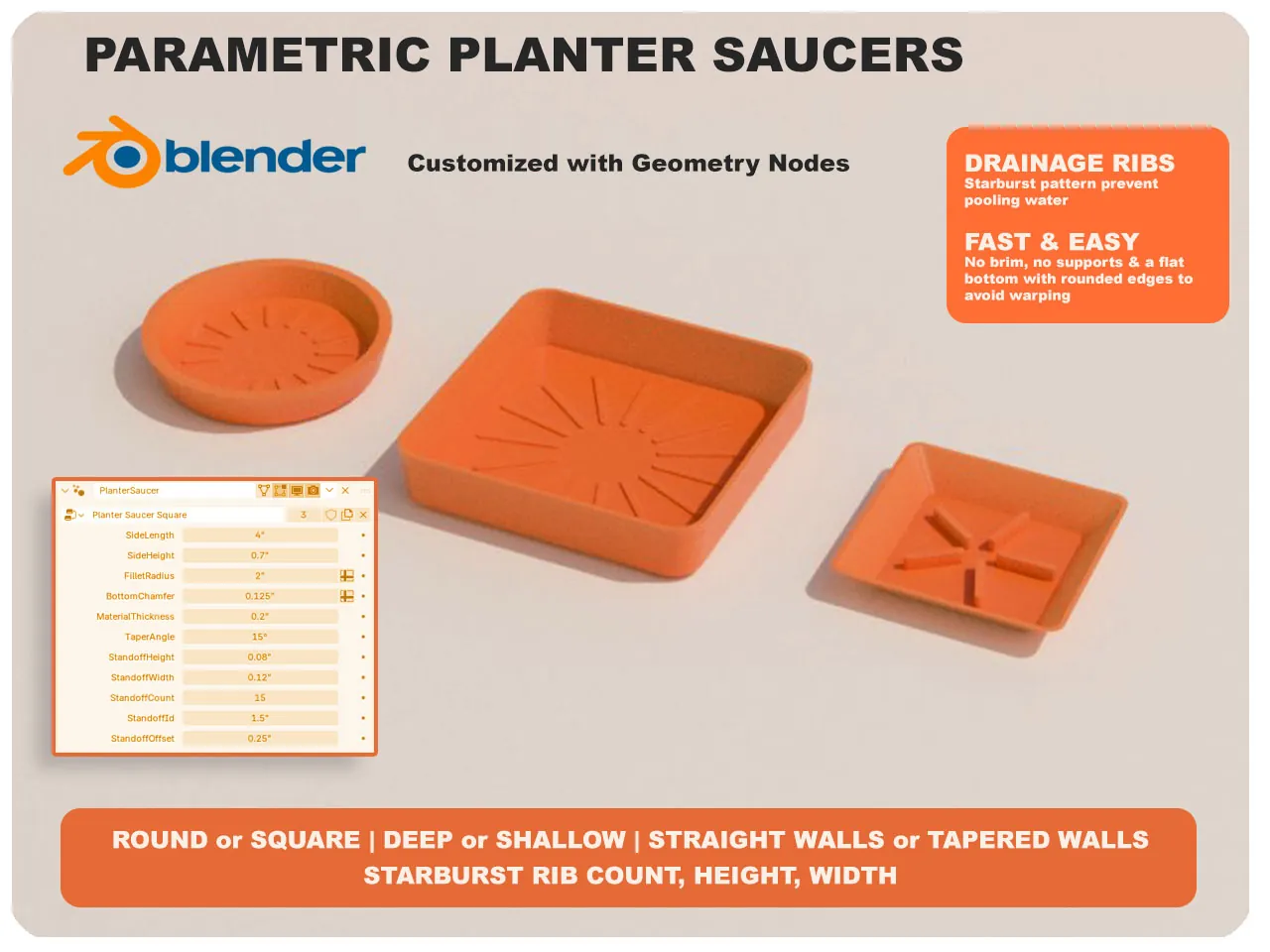
Custom Planter Saucer with Blender Geometry Nodes

PlanterSaucer(0)

A parametric planter saucer in Blender Geometry Nodes: eleven inputs for size, corner radius, taper and drain ribs. Free STLs on Printables, .blend on CGTrader.

Read more →

Filed under: 3D Printing, Blender Tips

Posted on February 26, 2024

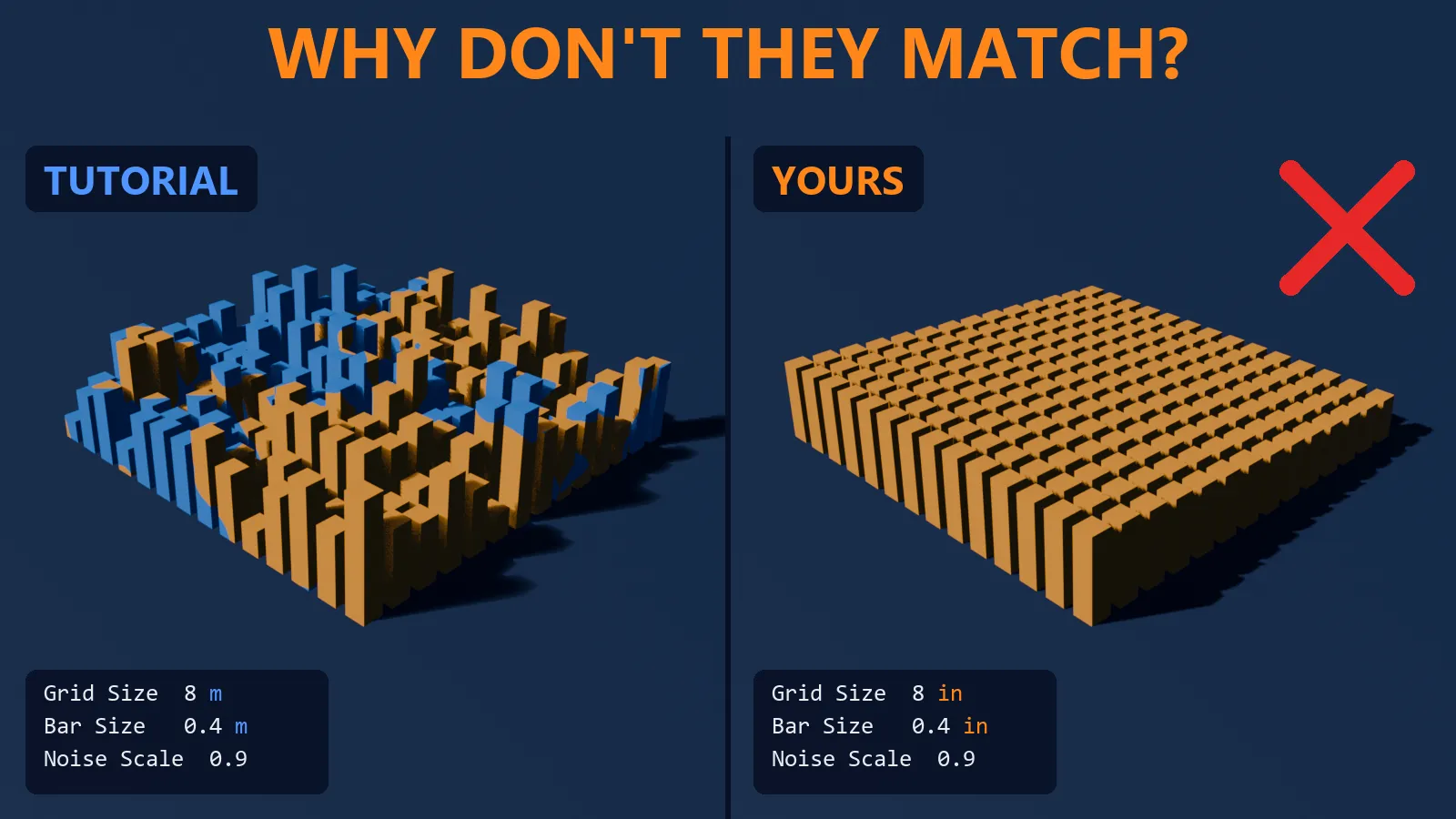
Blender Tip: Results Differ from the Tutorial?

The same geometry nodes setup side by side: the tutorial's field in meters has bars of varied height and color, yours in inches is flat and one color, with Grid Size 8 and Bar Size 0.4 typed in both

Typed the exact values and the result still looks wrong? Check scene units. Tutorials use meters; a startup file in inches breaks shaders and geometry nodes.

Read more →

Filed under: Blender Tips

Posted on February 15, 2024

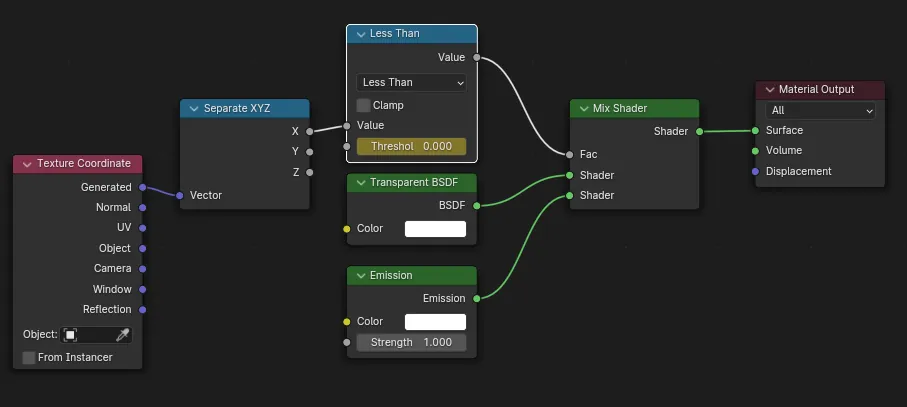
Blender Tip: Reveal text from left to right

revealnodetree

Animate text appearing left to right in Blender with a material node tree: generated coordinates, a Less Than node, two keyframes and the EEVEE alpha setting.

Read more →

Filed under: Blender Tips, Animation

Posted on February 8, 2024

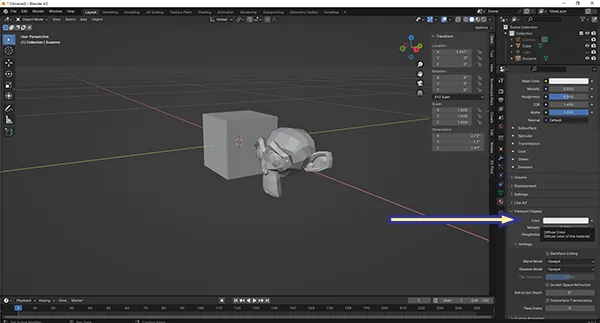
Blender Quick Tip: Viewport Alpha

blenderquicktip viewportdisplay

Make an object see-through in the Blender viewport: open the material's Viewport Display panel, click the color and lower the alpha. Three screenshots.

Read more →

Filed under: Blender Tips

Posted on February 10, 2023

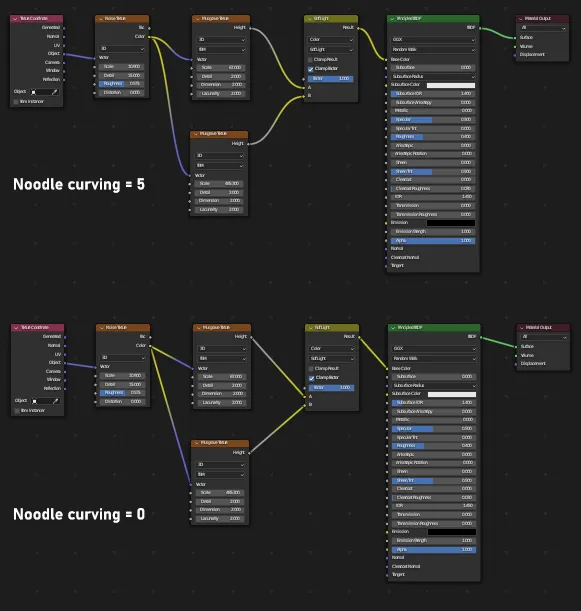
Blender Tip: Straight or Curved Node Links

noodlecurving

Make Blender's shader node links straight or curvier: Edit › Preferences › Themes › Node Editor › Noodle Curving. Zero is straight, ten is curviest.

Read more →

Filed under: Blender Tips

Posted on February 6, 2023

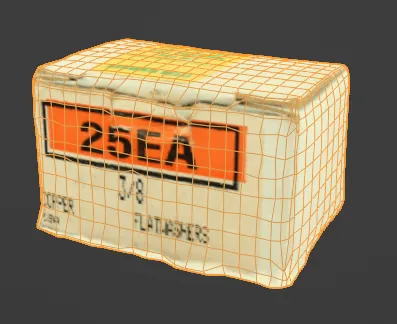
Baking Photogrammetry Textures in Blender (OBJ)

Baking Photogrammetry Textures in Blender (OBJ)

Can't bake a photogrammetry texture onto a low-poly mesh in Blender? Export from Zephyr as OBJ, not FBX. An hour of checking settings came down to file format.

Read more →

Filed under: Blender Tips, Photogrammetry

Posted on August 25, 2020

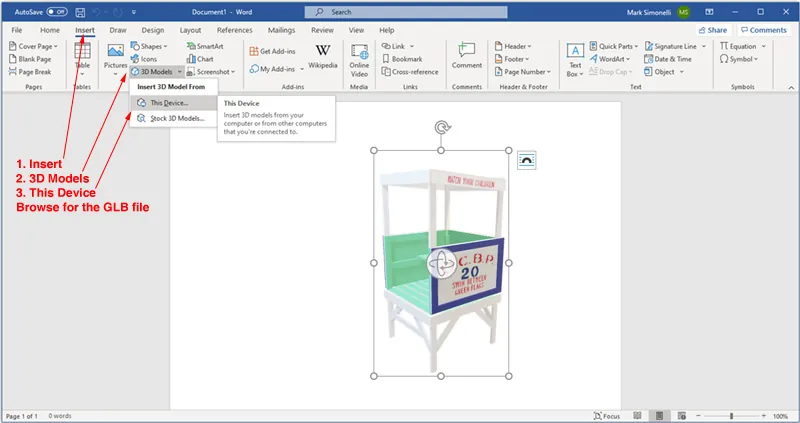
3D Models in Microsoft Office

Loading 3D models in Word

Export a Blender model as GLB and insert it into Word, Excel or PowerPoint with Insert, 3D Models, This Device. Rotate, scale and light it inside the document.

Read more →

Filed under: 3D Models, Blender Tips

Posted on July 23, 2020

Blender Tutorial: How to Model a Knurled Cylinder

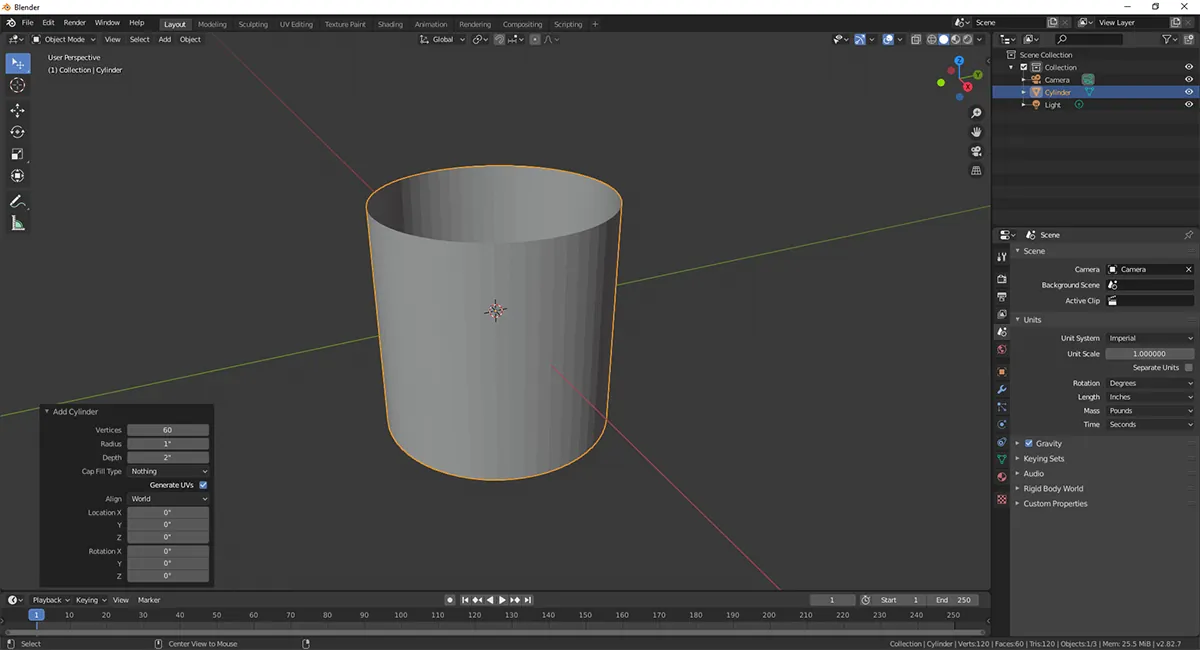
Blender Knurl Tutorial 1

Model a knurled cylinder in Blender 2.8 in six steps: 60-vertex cylinder, 24 loop cuts, un-subdivide, extrude individual faces, scale from individual origins.

Read more →

Filed under: Blender Tips, 3D Models

Posted on April 21, 2020

Resistor Collection

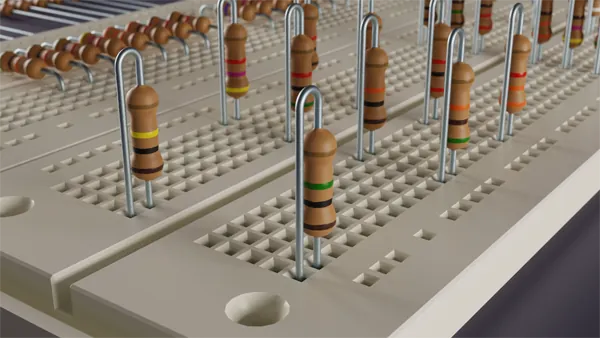
Resistor Collection

Building a parts library in Blender: 57 resistor configurations, 19 color-coded values in three lead shapes, with toggleable labels on one material.

Read more →

Filed under: 3D Models, Blender Tips

Posted on January 3, 2020

Texture Painting

Blender texture painting not working and every search answer is for beginners? Check Local View. Toggling it off with the slash key fixed it instantly.

Read more →

Filed under: Blender Tips, 3D Models

Posted on December 30, 2019

Blender Tip: Mesh to curve

Turn a string of mesh vertices into a Bezier curve with handles in Blender 2.81: Convert To Curve, Set Spline Type to Bezier, then set the handles to Aligned.

Read more →

Filed under: Blender Tips

Posted on August 23, 2019

Blender Quick Tip – Photogrammetry Lighting

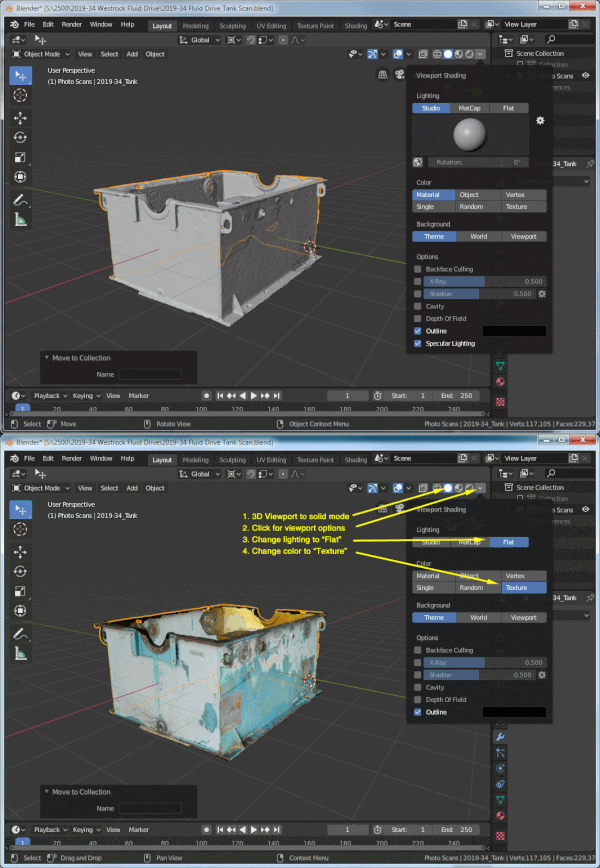
shading-blender-photogrammetry

Photogrammetry scans carry their own lighting. Set the Blender viewport to Solid, Flat lighting and Texture color for a natural look and a faster viewport.

Read more →

Filed under: Blender Tips, Photogrammetry

Posted on August 21, 2019

Blender Denoise Node: 21x Faster Cycles Renders

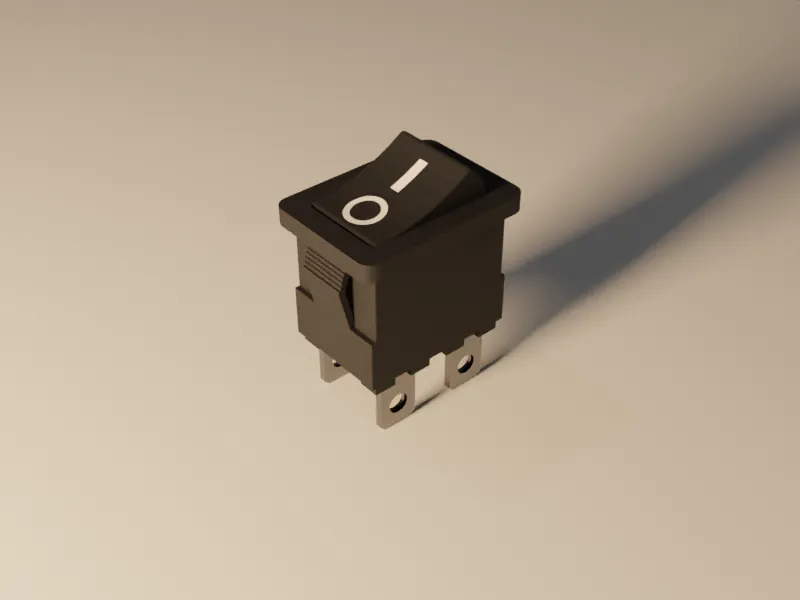
Render 2.png

Blender 2.81's compositor Denoise node with normal and albedo passes: a clean render at 5 samples in 7 seconds instead of 156 seconds at 150. Setup and results.

Read more →

Filed under: 3D Models, Blender Tips

Posted on August 20, 2019

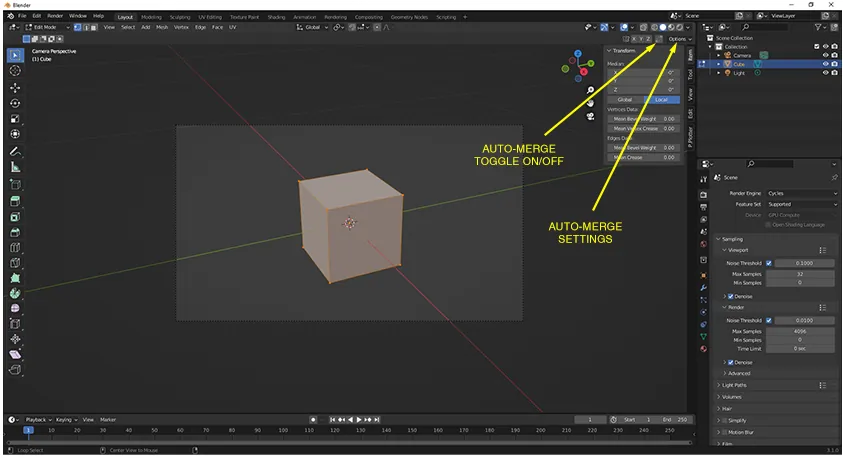
Blender Quick Tip – Auto Merge

Auto-merge-310

Where Auto Merge lives in Blender 2.80 (Active Tool, Options) and 3.1 (Tool Settings toggle) so dragging one vertex onto another joins them automatically.

Read more →

Filed under: Blender Tips

Posted on May 14, 2019

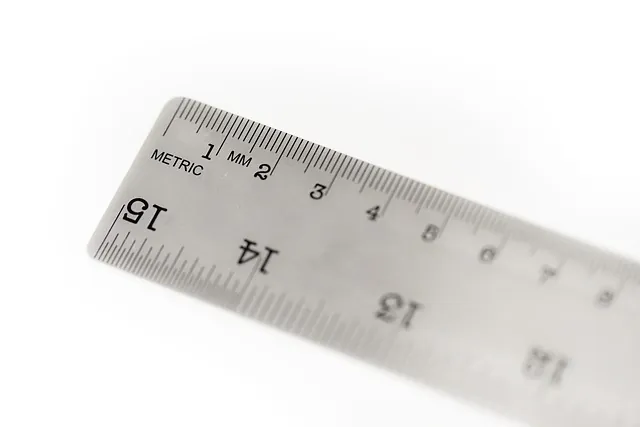
Blender Units for 3D Printing: STL Export Scale

Blender Units for 3D Printing: STL Export Scale

Blender 2.79 unit settings for 3D printing: inches with unit scale 0.0254 and STL export at 25.4, millimeters at 0.001 and export at 1.0, or meters with export at 1000.

Read more →

Filed under: 3D Printing, Blender Tips

Posted on April 23, 2019

3D Facebook Images – Blender Tutorial

3D Facebook Images – Blender Tutorial

A video tutorial on making the 3D photos Facebook supports using Blender.

Read more →

Filed under: Blender Tips, Video

Posted on December 27, 2016

3D Modeling in Blender for 3D Printing

using Blender for 3D Printing

Sculpteo's overview of modeling for 3D printing in Blender: the 3D Printing add-on, common mistakes and a walk-through on a simple cat model.

Read more →

Filed under: 3D Printing, Blender Tips

Recent posts

  • An Epoxy & Glue Bottle Holder for 1/4" Pegboard
  • A Magnetic Tool Holder Bar for 1/4" Pegboard
  • A Swing-Out Screwdriver Arm for 1/4" Pegboard
  • A Screw-In Pegboard Holder for a 1/4" Driver Set Case
  • Import STEP Files into Blender with the STEP Importer Extension
  • Export OBJ Files with Textures from Blender 4.x

Categories

  • 3D Models
  • 3D Printing
  • Animation
  • Blender Tips
  • Engineering
  • Photogrammetry
  • Photography
  • Shop Stories
  • SolidWorks
  • Video

Topics

  • 3D Printing
  • Modeling for 3D Printing
  • Photogrammetry
  • Photoreal Rendering
  • Modeling for Photoreal Images
  • What is Blender?
  • What is SolidWorks?
SIMMER3DBLENDER · SOLIDWORKS · 3D PRINTINGEST. 2016SHEET: categories/blender-tips.html

Simmer3D

Blender, SolidWorks, photogrammetry and 3D printing notes from an engineer's workbench. Posts since 2016 on Blender, SolidWorks, photogrammetry, free 3D models and practical 3D printing. About the author.

Topics

  • 3D Printing
  • Modeling for 3D Printing
  • Photogrammetry
  • Photoreal Rendering
  • Modeling for Photoreal Images
  • What is Blender?
  • What is SolidWorks?

Categories

  • 3D Models
  • 3D Printing
  • Animation
  • Blender Tips
  • Engineering
  • Photogrammetry
  • Photography
  • Shop Stories
  • SolidWorks
  • Video

© 2026 Simmer3D · About · All posts